Errore di Avvio del Software
Risoluzione degli Errori di Avvio Comuni
Passaggio 1: Verifica i Requisiti di Sistema
- Assicurati che il tuo sistema soddisfi i requisiti minimi:
- Windows 10 o successivo
- Almeno 4GB di RAM
- Almeno 1GB di spazio libero su disco
Passaggio 2: Verifica il Microsoft Visual C++ Redistributable
Se vedi errori come vcruntime140.dll not found o The application was unable to start correctly (0xc000007b), potrebbe mancarti il Microsoft Visual C++ Redistributable.
- Premi
Windows + R, digitacmde premi Invio. - Esegui:
dir "C:\Windows\System32\vcruntime*.dll" - Se vedi un output, il redistributable è installato. Il nome del file (es. vcruntime140.dll) indica la versione.
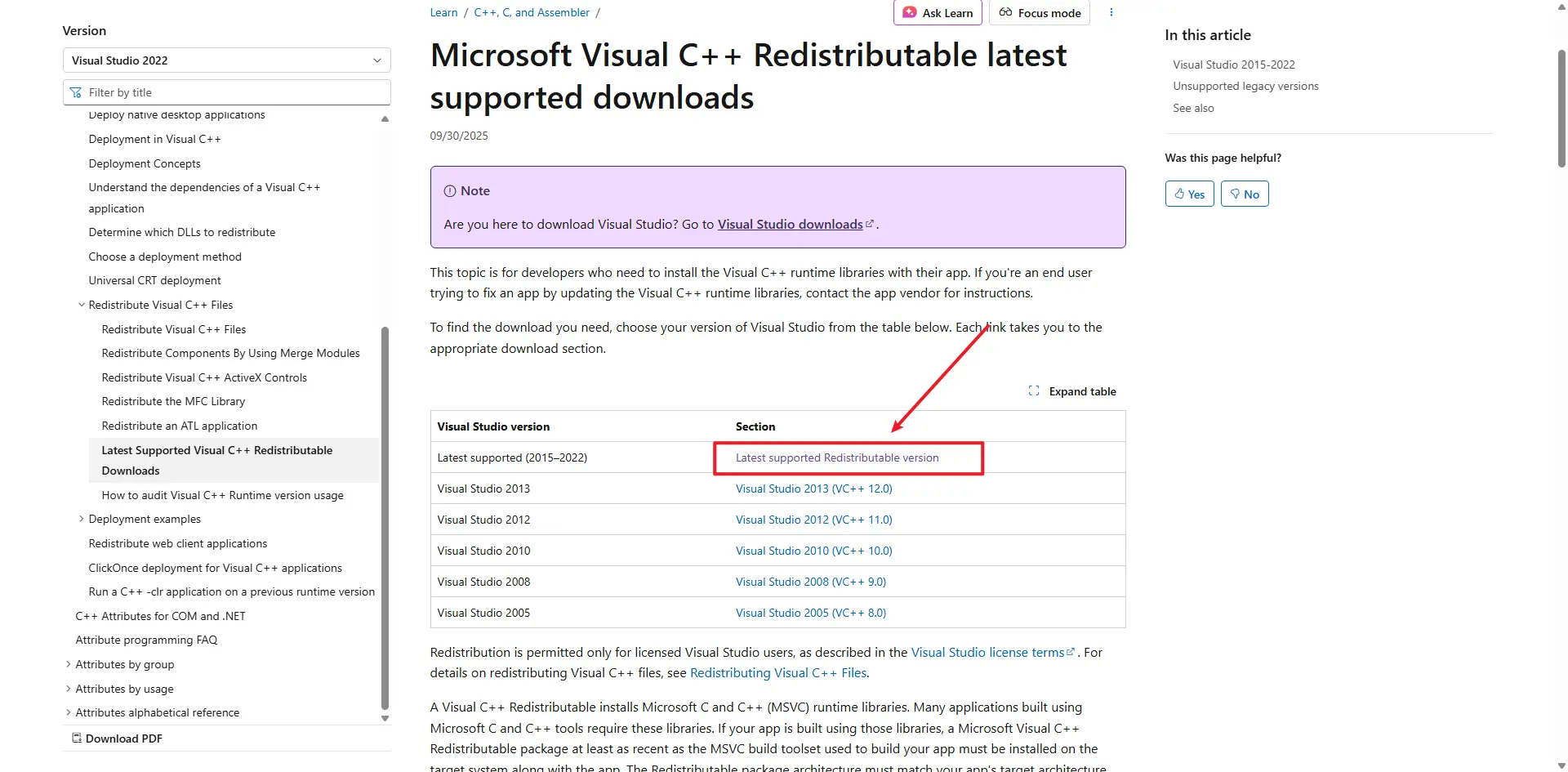
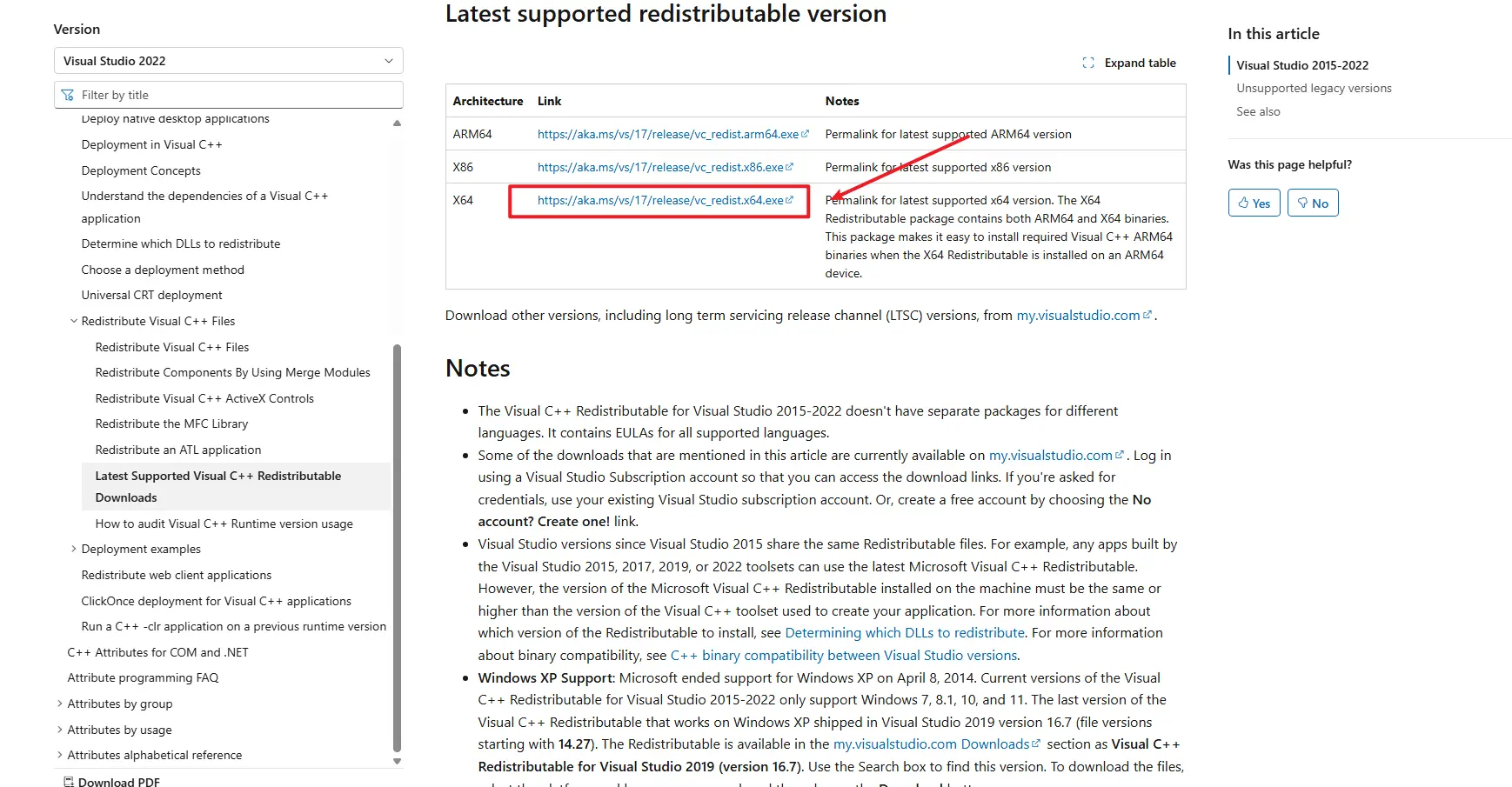
- In caso contrario, scarica e installa l'ultima versione: Microsoft Visual C++ Redistributable
Passaggio 3: Verifica l'Ora di Sistema
Un'ora di sistema errata può causare errori "Agent Start Timeout":
- Fai clic destro sull'orario visualizzato nell'angolo in basso a destra dello schermo
- Seleziona "Modifica data/ora"
- Attiva "Imposta ora automaticamente" se non è già attivato
- Se l'ora è ancora errata, fai clic su "Sincronizza ora" oppure imposta manualmente la data e l'ora corrette
- Riavvia TikMatrix dopo aver corretto l'ora
Passaggio 4: Controlla i Log dell'Applicazione
- Fai clic su
Impostazioni>Apri Cartella Appin TikMatrix. - Vai alla cartella
logs. - Controlla il file di log più recente per i messaggi di errore.
Passaggio 5: macOS — Errore InvalidStateError dell'Agent
Su alcune macchine macOS l'agent potrebbe non avviarsi e mostrare un errore simile a:
Agent start error InvalidStateError: The object is in an invalid state.
Possibile causa:
- Spesso è causato da un'incompatibilità tra l'applicazione e la versione del sistema macOS, oppure da hardware/firmware specifici su macchine più datate.
Soluzioni / workaround:
- Aggiorna macOS all'ultima versione disponibile tramite Impostazioni di Sistema > Generali > Aggiornamento Software. Dopo l'aggiornamento, riavvia il Mac e prova ad avviare di nuovo TikMatrix.
- Se l'aggiornamento non è possibile o l'errore persiste, prova a eseguire l'applicazione su un altro Mac con una versione più recente di macOS.
Se l'errore continua a comparire dopo aver provato quanto sopra, raccogli i log dell'applicazione e contatta la nostra assistenza su Telegram indicando la versione di macOS e allegando i log.
Passaggio 6: Linux AppImage — schermo bianco o EGL_BAD_PARAMETER
Su Linux, le build AppImage potrebbero mostrare una finestra bianca nelle sessioni Wayland, soprattutto su sistemi NVIDIA, e i log potrebbero contenere:
Could not create default EGL display: EGL_BAD_PARAMETER
Se ciò accade, avvia l'AppImage una volta con:
WEBKIT_DISABLE_COMPOSITING_MODE=1 \
WEBKIT_DISABLE_DMABUF_RENDERER=1 \
./TikMatrix.AppImage
Le build recenti abilitano automaticamente lo stesso workaround di WebKit quando l'app rileva un AppImage in esecuzione su Wayland, quindi il comando manuale dovrebbe essere necessario solo per i pacchetti più vecchi. Se preferisci un pacchetto Linux nativo, la build Linux include anche un artefatto .deb.
Se il Problema Persiste
Contatta il nostro team di assistenza su Telegram fornendo:
- La tua versione di Windows
- I file di log dell'applicazione
- I passaggi che hai già provato